
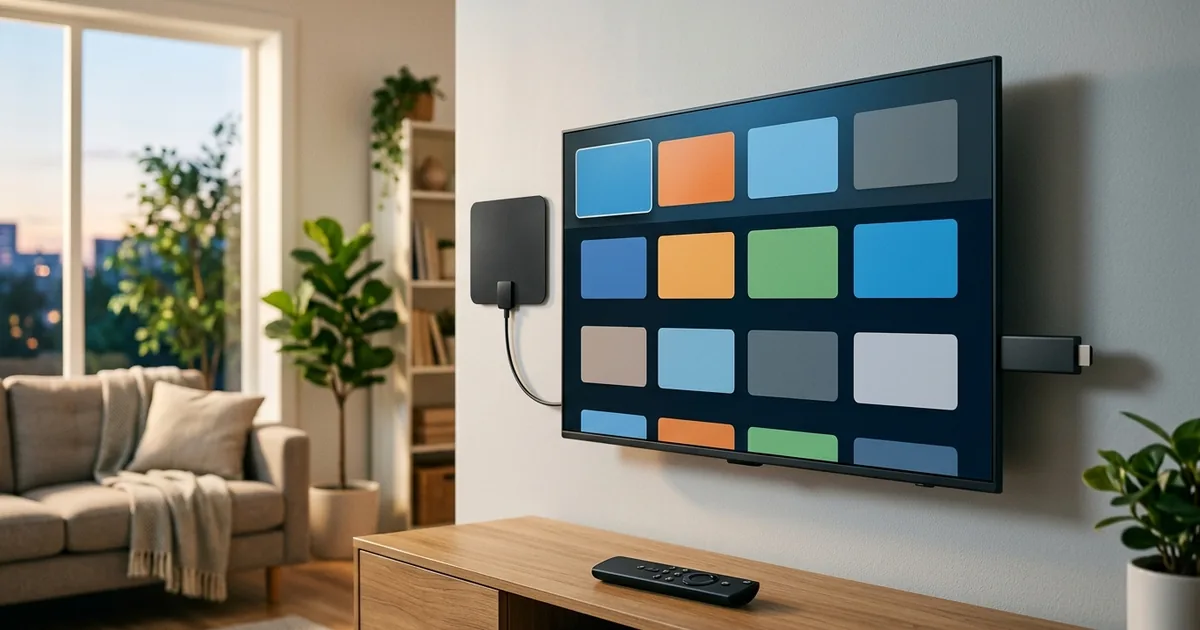
You can watch local channels on Roku in several ways: free local-news apps and The Roku Channel’s live section, a free over-the-air antenna paired with a Roku TV’s built-in tuner or a networked tuner for Roku streaming devices, or a live-TV streaming service such as YouTube TV or Hulu + Live TV that carries your local stations. The free antenna route gives you the full local broadcast lineup, while the apps cover local news at no cost.
Roku does not pull in local channels on its own, so the method you choose depends on whether you want every local broadcast channel or just local news. Here is how each option works.
How to Watch Local Channels on Roku
The right method comes down to free versus full coverage. Free apps handle local news well, an antenna handles the complete broadcast lineup, and a live-TV subscription handles locals plus everything else.
| Method | What you get | Cost |
|---|---|---|
| Free local-news apps (Haystack News, Local Now, NewsON, network apps) | Live and on-demand local news | Free |
| The Roku Channel live TV | Free local news feeds and live channels | Free |
| Antenna + Roku TV (built-in tuner) | Full local broadcast channels | One-time antenna cost |
| Antenna + networked tuner (Tablo, AirTV) for Roku devices | Local channels streamed to any Roku | Antenna plus tuner |
| Live-TV streaming service (YouTube TV, Hulu + Live TV, Fubo, Sling) | Local channels live, plus cable channels | Subscription |
The Free Way: Apps and The Roku Channel
If you mainly want local news, Roku has free options built in. Apps like Haystack News, Local Now, and NewsON stream local news from stations around the country at no cost, and many local network affiliates have their own free Roku apps with live news and weather. The Roku Channel’s live TV section also carries free news channels and local feeds in many markets. None of this requires a subscription, which makes it the easiest free starting point.
The limit is that these apps focus on news and selected programming rather than the full broadcast schedule, so they will not give you every primetime network show.
The Full Local Lineup: Antenna Plus Roku
For every local broadcast channel, an antenna is the answer, and how you connect it depends on your device. A Roku TV, which is a television with Roku built in, has an over-the-air tuner, so you plug an antenna directly into the TV and scan for channels in the Live TV input. A Roku streaming player or stick has no tuner, so to watch antenna channels on it you add a networked tuner such as a Tablo or AirTV, which connects to your antenna and streams the channels to the Roku over your home network.
Either way, the antenna itself is a one-time cost and the channels are free. The FCC’s antenna and digital television guide explains what reception to expect in your area.
The All-in-One Way: Live-TV Streaming
If you want locals alongside cable channels and a DVR, a live-TV streaming service is the simplest path on Roku. YouTube TV, Hulu + Live TV, Fubo, and Sling all have Roku apps and carry local channels in most markets, so you get locals and the rest of your lineup in one subscription. Our guide to watching live TV without cable compares those services. The official Roku site lists which apps are available on your device.
Frequently Asked Questions
How do I watch local channels on Roku?
Use free local-news apps and The Roku Channel for news, connect an antenna to a Roku TV’s tuner or a networked tuner for the full broadcast lineup, or subscribe to a live-TV service such as YouTube TV or Hulu + Live TV that carries your local stations.
Can I watch local channels free on Roku?
Yes. Free apps like Haystack News, Local Now, and NewsON, plus The Roku Channel’s live section, stream local news at no cost. For the full broadcast lineup free, connect an over-the-air antenna to a Roku TV or a networked tuner.
Does Roku have an antenna option?
Roku TVs have a built-in over-the-air tuner, so you can plug an antenna directly in and scan for channels. Roku streaming players and sticks do not have a tuner, so they need a networked tuner like a Tablo or AirTV to watch antenna channels.
What free apps show local news on Roku?
Haystack News, Local Now, and NewsON stream local news from stations nationwide for free, and many local affiliates offer their own free Roku apps. The Roku Channel also carries free local and national news feeds in many markets.
How do I add local channels to my Roku?
Add free news apps from the Roku channel store, connect an antenna to a Roku TV or networked tuner for broadcast channels, or install a live-TV streaming app that includes your locals. Then sign in or scan for channels depending on the method.
Why don’t I have local channels on Roku?
Roku does not include local channels by default, because it is a streaming platform without a built-in tuner on its players. You need an antenna with a tuner, a free local app, or a live-TV subscription that carries your market’s stations to get them.
Do I need a subscription for local channels on Roku?
Not necessarily. Free news apps and an over-the-air antenna provide local content at no monthly cost. A subscription is only required if you want locals delivered through a live-TV streaming service alongside cable channels and a DVR.
Last updated: May 2026. We update this guide as Roku apps and local options change.